Download the Official McLuck Casino App
Take America's top social sweepstakes casino everywhere you go. Enjoy over 700+ high-definition Vegas slots, real-time McJackpot triggers, lightning-fast coin redemptions, and instant biometric sign-in directly on your iPhone, iPad, or Android phone.


Top Mobile Slots Ready to Spin on McLuck
Every game in our mobile catalog is powered by HTML5, featuring haptic touch feedback, portrait and landscape auto-rotation, and low data bandwidth usage.
Trending Mobile Slots (1-10)
Starburst
NetEnt / Pragmatic
Gonzo’s Quest
Avalanche Reels
Book of Dead
Play'n GO
Sweet Bonanza
Pragmatic Play
Big Bass Bonanza
Reel Kingdom
Gates of Olympus
Pragmatic Play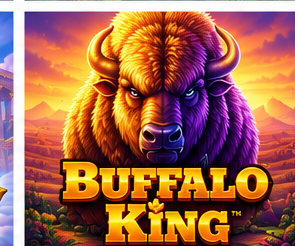
Buffalo King
Pragmatic Play
Wolf Gold
Hold & Win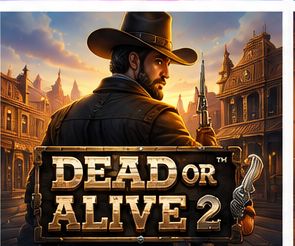
Dead or Alive 2
NetEnt Slots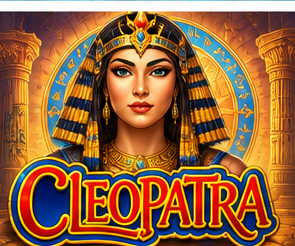
Cleopatra
IGT ClassicProgressive & Mobile Exclusive Hits (11-20)
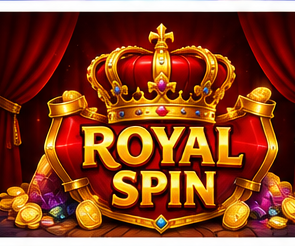
Royal Spin
McLuck Exclusive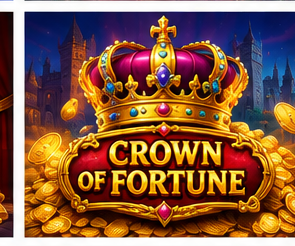
Crown of Fortune
3 Oaks Gaming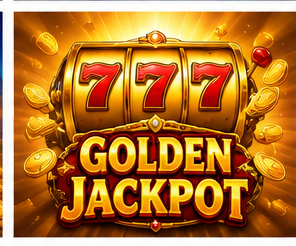
Golden Jackpot
Playson Hot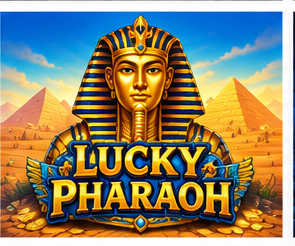
Lucky Pharaoh
Blueprint Gaming
Diamond Rush
Ruby Play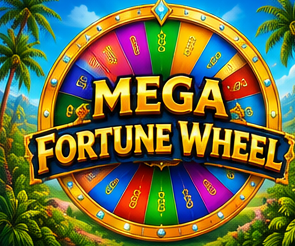
Mega Fortune Wheel
Relax Gaming
Royal Roulette
Beter Live
Treasure Vault
Booming Games
King’s Gold Slots
iSoftBet
Crown Coin Bonanza
3 Oaks Hold&WinHow to Install the McLuck Casino App on iOS & Android Devices
The software development architecture of the McLuck casino app revolves around modern Progressive Web App (PWA) engineering. Unlike outdated monolithic apps that devour gigabytes of storage space and subject users to cumbersome weekly app-store update cycles, the McLuck App delivers an instantaneous, cloud-native experience. You get native-app speed, full-screen display without URL address bars, biometric FaceID integration, and immediate push notification drops—all with zero local disk footprint.
Apple iOS Setup Guide (iPhone & iPad)
Open Safari
Launch the native Safari web browser on your iPhone or iPad and navigate to us-mcluckcasino.com.
Tap Share Icon
Tap the square Share button located at the bottom center of your Safari navigation bar.
Add to Home Screen
Scroll down and tap "Add to Home Screen". Tap Add in the top-right corner to launch the full-screen McLuck App.
Google Android Setup Guide (Samsung, Pixel, Motorola)
Open Chrome
Open Google Chrome on your Android smartphone and navigate to the official McLuck Casino portal.
Select "Install App"
Look for the automatic "Add McLuck to Home screen" banner at the bottom, or tap the three dots in the top right and select "Install App".
Instant Launch
The McLuck Casino icon will appear in your Android app drawer. Tap to open with hardware-accelerated 120Hz slot frame rates.
Once added to your home screen, the McLuck App runs inside a standalone sandbox environment. This unlocks silky smooth 60fps+ reel rotations, zero browser frame distractions, and instantaneous authentication via your phone's biometric sensors.
Mobile Security, Biometrics, and Fair Play on the McLuck App
When engaging in sweepstakes gaming on mobile devices, data integrity and transactional safety are paramount. The McLuck casino mobile app is designed with a defense-in-depth security posture, ensuring that your promotional Sweepstakes Coins balance, prize redemption records, and payment credentials remain impenetrable.
Secure Enclave Biometrics
Take advantage of Apple FaceID or Android Fingerprint sensors. Cryptographic tokens are authenticated locally within your smartphone's dedicated hardware chip.
Zero-Knowledge TLS 1.3
Every communication packet sent between your device and our server cluster is enveloped in military-grade 256-bit SSL/TLS cryptographic encryption.
Geofence Compliance
Automated, privacy-preserving location validation confirms that users are participating from permitted US sweepstakes jurisdictions without storing tracking history.
Independent testing laboratories including GLI (Gaming Laboratories International) and BMM Testlabs audit every single RNG game algorithm ported to the mobile application. Whether you spin with 70 Gold Coins on your lunch break or claim high-stakes McJackpot drops on the subway, the mathematical randomness and Return-to-Player percentages remain 100% genuine and unaltered.
McLuck App vs. Standard Mobile Browser: Comparison Matrix
Wondering whether to install the official McLuck casino application or simply use your browser? While both avenues grant complete access to America's top social slots, the dedicated Progressive Web App provides substantial advantages in terms of response time, user experience, and battery efficiency:
| Feature / Capability | Official McLuck App (PWA) | Standard Mobile Browser | Traditional Store APK |
|---|---|---|---|
| Full-Screen Display | Dedicated Fullscreen (No URL bars) | Obstructed by navigation bars | Fullscreen |
| Device Storage Impact | Under 2 MB Cache | Variable browser cache | 150 MB - 300 MB footprint |
| Biometric Login (FaceID) | 1-Tap Biometric Instant Access | Depends on browser keychain | Native Biometrics |
| Reel Render Performance | 60 - 120 FPS Hardware Gl | 60 FPS standard | 60 - 120 FPS |
| Push Alerts for Free Drops | Instant 24h Bonus Reminders | None | System Notifications |
| Battery & RAM Consumption | Ultra-Low (Smart GPU throttling) | Moderate (Browser overhead) | High background usage |
By opting for the McLuck App, players ensure that they never miss an escalating 24-hour daily login streak drop or a sudden flash tournament leaderboard notification.
Purchases and Real Prize Redemptions Directly on the McLuck App
Purchasing coin packages and claiming lawful cash prize redemptions is frictionless on the McLuck casino app. Engineered specifically for American mobile gamers, the app integrates single-tap payments via Apple Pay, Google Pay, and major US credit cards. Because social sweepstakes operate without any purchase requirement, every coin bundle purchased also awards complimentary bonus Sweepstakes Coins for entry into promotional jackpot contests.
Apple Pay & Google Pay 1-Tap Checkout
Acquire optional Gold Coin bundles starting at just $1.99 with instantaneous verification using FaceID or TouchID. No need to manually type lengthy credit card numbers into small phone screens.
Fast Mobile ACH Bank Payouts
Redeem your verified Sweepstakes Coin winnings (1 SC = 1 USD) directly into your domestic checking account. Minimum redemptions start at 75 SC for ACH bank transfers and just 10 SC for digital Prizeout gift cards.
First-time redemptions require a quick one-time Know-Your-Customer (KYC) identity verification. You can take a quick picture of your driver's license using your phone camera directly within the app's secure verification portal. Approvals typically take under 15 minutes, allowing future redemptions to process in 24 to 48 hours nationwide.
Frequently Asked Questions About the McLuck App
Get immediate answers about installing the McLuck Casino app, compatibility, free coins, and troubleshooting on iOS and Android devices.
Ready to play 700+ Vegas slots on your phone?
Launch McLuck App & Claim 57.5K GC